Découvrir des postesExplorez un contenu captivant et des perspectives diverses sur notre page Découvrir. Découvrez de nouvelles idées et engagez des conversations significatives
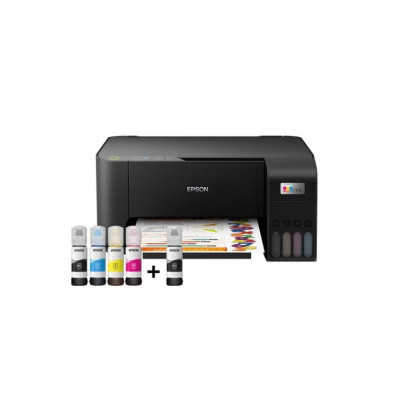
EcoTank L3250 Print Scan Copy Wireless Ink Tank Printer
₦283,490.00 (NGN)
DESIGNED FOR IMPRESSIVE PRINTS BEYOND BORDERS. The multi-functional EcoTank L3250 is designed to improve business cost savings and print productivity. Expect a high print yield of up to 4,500 pages for black-and-white, and 7,500 pages for colour. You can even print borderless photos up to 4R size. The integrated ink tanks and designated nozzles ensure spill-free and error-free refilling. The EcoTank L3250 delivers convenient wireless connectivity, enabling direct printing from smart devices. You can download the Epson Smart Panel app to your mobile device and easily manage your printing functions and printer setup, making this especially useful for non-panel printers. Make the smart business move with the right print solution today. Print, scan, copy Compact integrated tank design High yield ink bottles Spill-free, error-free refilling Wi-Fi & Wi-Fi Direct Seamless setup via Epson Smart Panel Borderless printing up to 4R Powered by Epson Heat-Free Technology
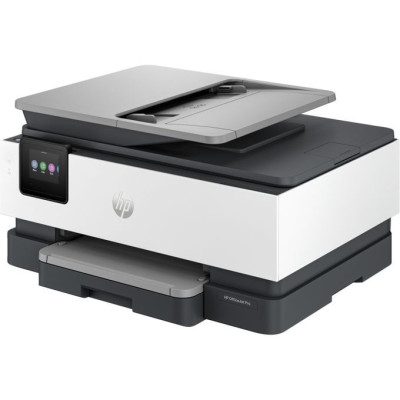
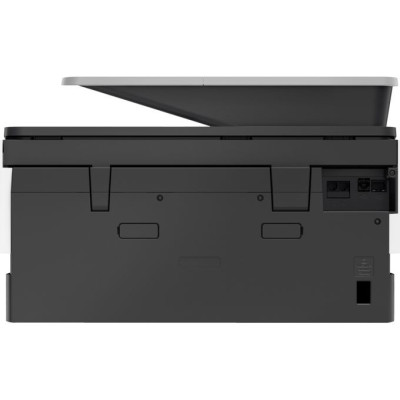
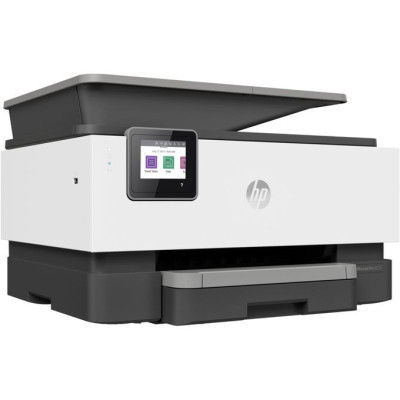
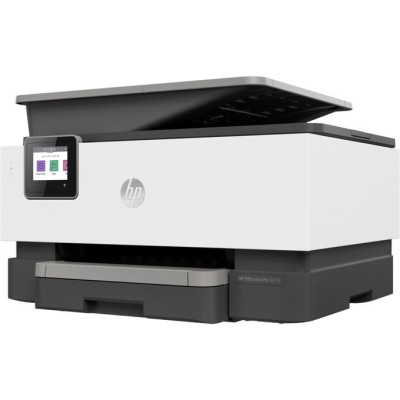
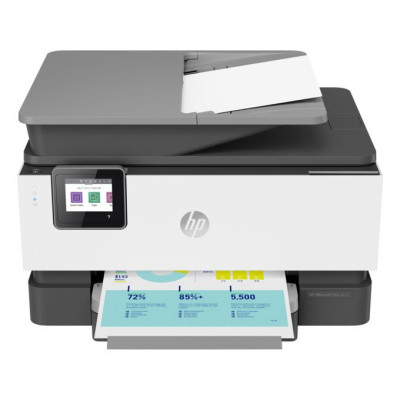
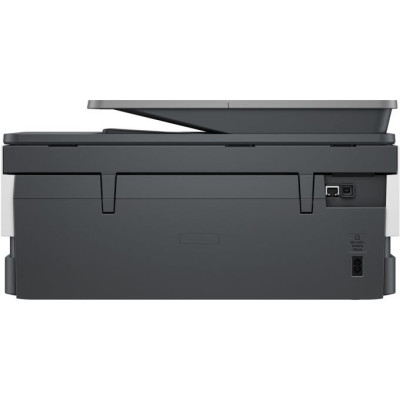
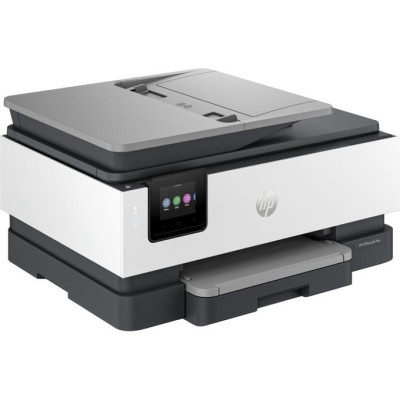
A revolutionary smart printer that works the way you need it. Help save time with Smart Tasks shortcuts. 1 Get automatic two-sided printing and scanning, seamless connections, 2 and best-in-class security. 3 Print and scan from your phone. 1 Functions: Print, copy, scan, faxPrint speed: Print speed up to 22 ppm (black) and 18 ppm (colour) 4Print quality black (best): 1200 x 1200 rendered dpiAutomatic document feeder capacity: Standard, 35 sheets Designed to save you timeGet automatic two-sided printing and scanning, and help save time with Smart Tasks. 5 Even create editable, searchable documents from phone or printer. Freedom to work anywhereGet work done wherever, whenever, and easily print, scan, and copy from your phone, using HP Smart – best-in-class mobile print app. Best-in-class security, 6 reliable connectionsGet best-in-class security to help maintain privacy and control, 6 and self-healing Wi-Fi™ that keeps you connected. Ordering ink has never been easierWith the HP Smart app, you’ll get notifications when you’re running low on ink, and can easily order new ink. 5 Help save time with Smart Tasks, 1 automatic two-sided scanning, and best-in-class security. Customisable shortcuts on your phone or printerEliminate steps in repetitive tasks with customisable shortcuts, using Smart Tasks. Create editable, searchable documentsWith Smart Tasks in HP Smart app, you can create editable, searchable documents by scanning from your phone or printer. Two-sided, hands-free, auto-fedWork fast and hands-free with the 35-page auto-feeder. Get automatic two-sided printing and scanning. Ready when you areConnect to cloud-based printing with Wi-Fi™ or your cellular network.
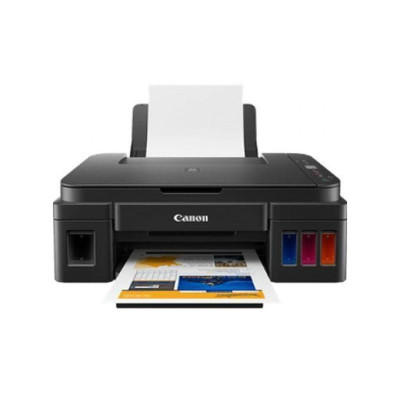
Efficient and versatile, this home and office multi-functional printer boasts high yield ink bottles for low cost, high quality document and photo printing, copying and scanning and the reliability to handle high page volumes with ease. Experience highly cost effective and productive printing with high yields* of up to 12000 pages from 2 black bottles or up to 7000 pages using a single set of colour bottles.Print in high quality using Canon’s FINE technology and hybrid ink system with pigment black for sharp documents and dye-based colours for vivid borderless photos up to A4.This compact All-in-One with print, copy and scan handles large print volumes with ease thanks to its durable, FINE ink system. Ideal for home or small offices. The Canon PIXMA G2411 Integrated Tank Printer is efficient and versatile, this multifunction printer equipped with high yield ink bottles at low cost offers quality printing, copying and scanning functions of your documents and photos. Its reliability also allows it to handle high page volumes with ease. Integrated 3in1 color tank printer - Printing, copying, scanning - Printing technology: Inkjet - Printing resolution: Up to 4800 x 200 dpi - Paper sizes: A4, A5, B5 - Printing speed (Black & Balnc): Approx. 8.8 ipm - Print speed (color): Approx. 5.0 ipm - Photo Print Speed: Borderless 10 x 15cm: Approx. 60 seconds - A4 format (Black / Color): 12000/7000 Pages - Color photo printing 10 x 15 cm (Colors): 2000 Photos - Connectivity: USB - Dimensions: 445 x 330 x 163 mm - Color: Black - A compact refillable All-in-One with high yield inks for low-cost home or business printing from smart devices and the cloud. Compact, connected high yield print, copy and scan Enjoy significant savings with unrivalled page yields and low cost printing of high quality documents and vivid photos plus easy smart device and cloud connectivity with this reliable Wi-Fi multifunctional for home or office. Incredible page yields Experience highly cost effective and productive printing with high yields* of up to 12000 pages from 2 black bottles or up to 7000 pages using a single set of colour bottles. High quality prints Print in high quality using Canon’s FINE technology and hybrid ink system with pigment black for sharp documents and dye-based colours for vivid borderless photos up to A4. Compact, reliable multifunctional This compact All-in-One with print, copy and scan handles large print volumes with ease thanks to its durable, FINE ink system. Ideal for home or small offices. Easy operation Enjoy quick and easy USB connectivity to your PC and simple operation thanks to a 3cm (1.2”) mono LCD, which enables easy selection of multiple copies, and push button controls./p> Creative printing Easily print your photos in new and creative ways with My Image Garden photo software, which includes face recognition so you can search all the images on your PC with ease. Power Consumption Off: Approx. 0.2W Standby (connected to PC via Wi-Fi): Approx. 1.2W (scanning lamp off) Standby (all ports connected): Approx. 1.2W (scanning lamp is off) Time to enter Standby mode: 10minutes 50sec Copying: Approx. 11W14 Yield *Page yield is the estimated value based on Canon individual test method using the ISO/IEC 24712 chart and continuous printing simulation with the replacement ink bottles after initial setup. Page yields are not to be combined.
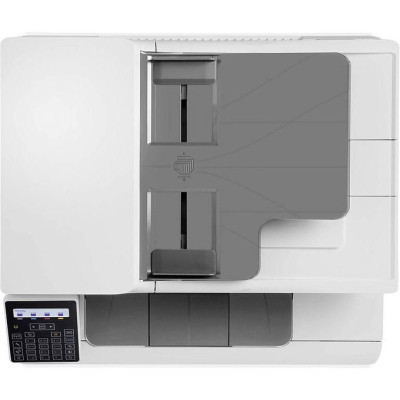
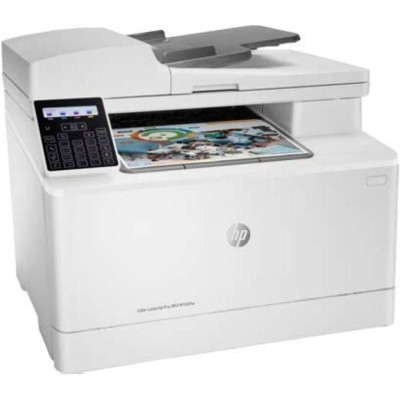
An efficient, wireless MFP with fax for high-quality colour and productivity. 1 Save time with Smart Tasks in Hewlett Packard Smart app, and print and scan from your phone. 2 Get seamless connections and security essentials to help maintain privacy and control. Freedom to work anywhere Get work done wherever, whenever, and help save time with Smart Task shortcuts, using Hewlett Packard Smart – best-in-class mobile print app Trusted Hewlett Packard quality and performance Get peak printing performance with high-quality colour and MFP versatility Security essentials, reliable connections Get security essentials to help maintain privacy and control, including basic encryption and password protection. Get faster, more reliable connections with dual band Wi-Fi Get high-quality colour, wireless printing, 1 and smart mobility and security solutions. Best-in-class mobile print app 6 Get easy printing and scanning from your mobile device, with Hewlett Packard Smart. 7 Automate scanning tasks and save time Eliminate steps in repetitive tasks with customisable shortcuts, using Smart Tasks in Hewlett Packard Smart app. 7 Powerful printing. Energy smart. Count on high-quality colour and peak printing performance with Original Hewlett Packard Toner cartridges with JetIntelligence. Tackle the essentials – print, scan, copy, fax Easily handle tasks and get a lot from one device – print, scan, copy, and fax. Connectivity, standard: Hi-Speed USB 2.0 port; Built-in Fast Ethernet 10/100 Base-TX network port; 802.11n 2.4/5GHz wireless; Fax port Mobile printing capability: ePrint; AirPrint™; Mobile Apps; Mopria™ Certified; Wi-Fi® Direct Printing Duty cycle (monthly, A4): Up to 30,000 pages
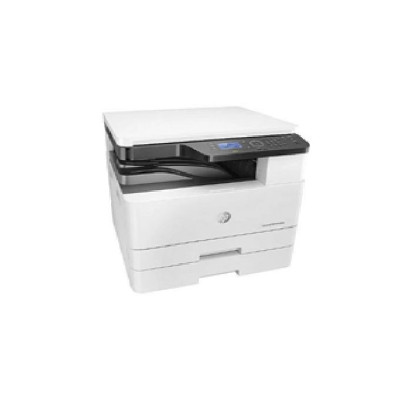
Laserjet Mfp M438n A3/a4 All-in-one Black And White Printer
₦1,260,000.00 (NGN)
Functions Print, Copy, Scan Printing specifications Print speed black: Normal: Up to 22 ppm First page out (ready) Black: As fast as 8.3 sec Duty cycle (monthly, A4) Up to 50,000 pages per month 1 (Duty cycle is defined as the maximum number of pages per month of imaged output. This value provides a comparison of product robustness in relation to other HP LaserJet or HP Color LaserJet devices, and enables appropriate deployment of printers and MFPs to satisfy the demands of connected individuals or groups.) Recommended monthly page volume 2,000 to 5,000 pages 2 (HP recommends that the number of pages per month of imaged output be within the stated range for optimum device performance, based on factors including supplies replacement intervals and device life over an extended warranty period.) Print technology Laser Print quality black (best) Up to 1200 x 1200 dpi Display 4-line LCD Processor speed 600 MHz Automatic paper sensor No Replacement cartridges W1335A HP Original 335A LaserJet Toner Cartridge (yield 7,400 ISO pages) W1335X HP Original 335X High-Yield Black LaserJet Toner Cartridge (yield 13,700 ISO pages) CF257A HP 57A Original LaserJet Imaging Drum (yield 80,000 pages) This printer is intended to work only with cartridges that have a new or reused HP chip, and it uses dynamic security measures to block cartridges using a non-HP chip. Periodic firmware updates will maintain the effectiveness of these measures and block cartridges that previously worked. A reused HP chip enables the use of reused, , and refilled cartridges. Connectivity Wireless capability No Connectivity, standard Hi-Speed USB 2.0 Device, Ethernet 10/100 Base TX Minimum system requirements CD-ROM or DVD drive, or Internet connection Dedicated USB or network connection or Wireless connection 200 MB available hard disk space For OS hardware requirements see / www. microsoft.com for Windows Pentium IV 2.4GHz (Intel Core™2) RAM 512 MB (1 GB) Free available hard disk space 1 GB (2 GB) for Linux
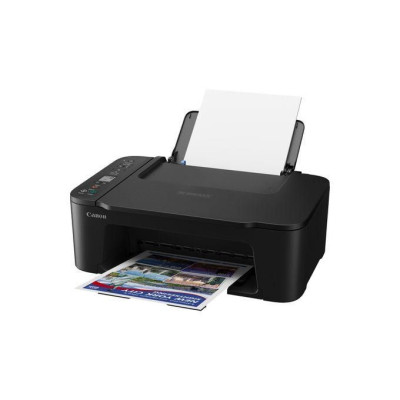
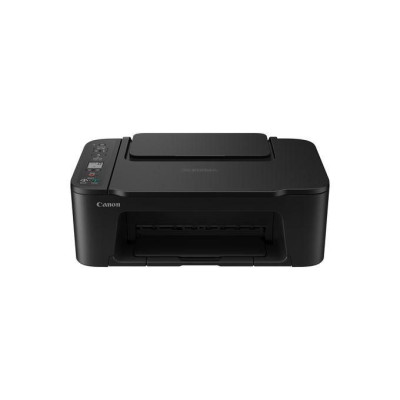
Functions - Wi-Fi, Print, Copy, Scan, Cloud Printer Specifications Print Resolution - Up to 4800 1 x 1200 dpi Print Technology - 2 FINE Cartridges (Black and Colour) Mono Print Speed - Approx. 7.7 ipm Colour Print Speed - Approx. 4.0 ipm Photo Print Speed - Borderless 10x15cm : Approx. 65 seconds Borderless Printing - Yes (13x18cm, 10x15cm, 13x13cm) Two Sided Printing - Manual operation Cartridges and Yields Standard Ink Cartridges - PG-445, PG-445XL (Black) CL-446, CL-446XL (Colour) Cartridge Yield (Plain Paper) A4 colour documents printing Black: 180 pages Black XL: 400 pages Colour: 180 pages Colour XL: 300 pages Paper Support Paper Types - Plain Paper Photo Paper Plus Glossy II (PP-201) Photo Paper Glossy "Everyday Use" (GP-501) Magnetic Photo Paper (MG-101) Restickable Photo Paper (RP-101) Canon Red Label Superior (WOP111) Canon Oce Office Colour Paper (SAT213) Maximum Paper Input - Rear tray: Max. 60 sheets (plain paper) *Please refer to online manual for a detailed list of paper load limits, which will vary depending on media type and page size selected. Paper Sizes - Plain paper: A4, A5, B5, Letter, Legal Photo paper: 13x18cm, 10x15cm, 13x13cm [Custom size] - width 89 mm - 215.9 mm, length 127 mm - 676 mm Paper Weight - Plain paper: 64 - g/m², Canon photo paper: up to 275 g/m² Scanner Specifications Scanner Type - CIS flatbed photo and document scanner Scanner Resolution (Optical) - 600 x 1200 dpi 6 Maximum Document Size - 216 x 297 mm Copier Specifications Copy Speed sFCOT: Approx. 27 sec. 7 sESAT: Approx. 3.0 ipm 8 Multiple Copy 20 copies (max.) Copy Functions Document copy, Borderless copy Copy Zoom 25 - 400% Fit to page 9 Document Size 216 x 297 mm Interface Display Type & Size 3.7cm LCD segment mono Connectivity Standard Interface Hi-Speed USB (B Port) Wi-Fi: IEEE802.11 b/g/n Wi-Fi Security: WPA-PSK(AES), WPA2-PSK(AES), WPA3-SAE(AES) Wireless LAN Frequency Band: 2.4GHz Mobile Apps Canon PRINT app Easy-PhotoPrint Editor Creative Park app Cloud Link Canon Print Service Plugin (Android) Apple AirPrint Access Point Mode WLAN PictBridge Mopria (Android) Software Supported Operating Systems Windows 11, Windows 11 ARM, Windows 10, Windows 8.1, Windows 7 SP1 Operation can only be guaranteed on a PC with pre-installed Windows 7 or later. macOS 10.15. 67 ~macOS 14 *OS compatibility confirmed at time of launch, please check the Canon Download Centre for support of subsequently released OS’s for this product. Supported Mobile Systems iOS, iPadOS, Android, ChromeOS Minimum System Requirements Display: 1024 x 768 XGA Installation: Internet, CD-ROM (Windows) Software Included MP Driver including Scanning Utility Easy-PhotoPrint Editor (download) Physical Features Weight approx. 4 kg Dimensions (W x D x H) approx. 435 x 327 x 145 mm Acoustic Noise Levels approx. 48.0 dB(A) 10 Recommended Operating Environment Temperature: 5-35°C Humidity: 10-90%RH (no dew condensation) Power Source AC 100-240V, 50/60Hz Power Consumption Off: Approx. 0.3 W Standby (connected to PC via USB): Approx. 0.8 W (scanning lamp off) Standby (all ports connected): Approx. 1.3 W (scanning lamp is off) Time to enter Standby mode: 10 min 01 sec Copying: Approx. 9 W 11
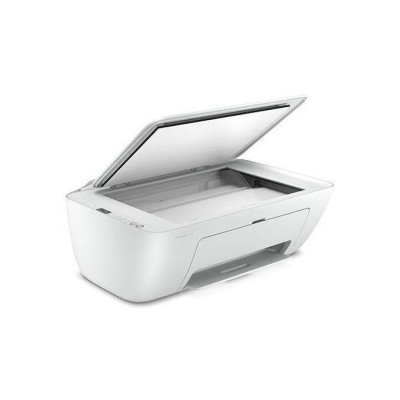
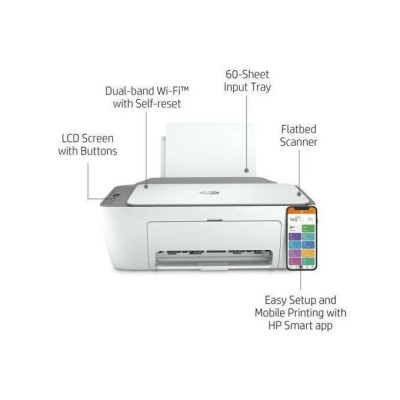
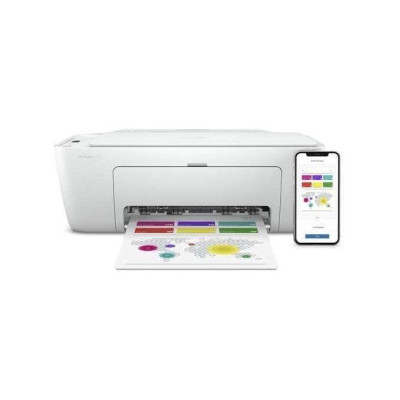
All the basics, now with easy-to-use features. Print, scan, and copy everyday documents, and get worry-free wireless. 1 Simple setup with Smart app means you’re ready on any device. Dynamic security enabled printer. This printer is intended to work only with cartridges that have new or reused electronic circuitry, and it uses dynamic security measures to block cartridges using modi Duplex printing Manual (driver support provided) Print technology Thermal Inkjet Connectivity, standard 1 Hi-Speed USB 2.0 Mobile printing capability AirPrint™; Chrome OS; Smart app; Mopria-certified 3 Network capabilities Wi-Fi 802.11a/b/g/n Wireless capability Yes, built-in Wi-Fi 802.11a/b/g/n Minimum System Requirements for Macintosh MacOS Sierra v10.12 (previously OS X), macOS High Sierra v10.13, macOS Mojave v10.14, macOS Catalina v10.15, 2 GB available hard disk space, Internet Access. Minimum System Requirements Windows 10, 7: 1 GHz 32-bit (x86) or 64-bit (x64) processor, 2 GB available hard disk space, Internet connection, USB port, Internet Explorer. Digital sending standard features No Display Icon LCD display Processor speed 180 MHz Maximum Memory 512 MB DDR1; 160 MB flash Memory 86 MB Internal Storage No Compatible Operating Systems Windows 11; Windows 10; Windows 7; macOS 10.12 Sierra; macOS 10.13 High Sierra; macOS 10.14 Mojave; macOS 10.15 Catalina; Chrome OS Paper handling input, standard 60 sheet input tray Paper handling output, standard 25-sheet output tray Finished output handling Sheetfed Media types Plain paper, Photo paper, Brochure paper Media sizes supported A4; B5; A6; DL envelope Media sizes, custom 89 x 127 to 215 x 279 mm Borderless printing No Media weight, recommended 75 g/m² Scanner type Flatbed Scan file format JPEG, TIFF, PDF, BMP, PNG Scan resolution, optical Up to 1200 dpi Scan size, maximum 216 x 297 mm Automatic document feeder capacity No Scan technology Contact Image Sensor (CIS) Copy resolution (black text) Up to 300 x 300 dpi Copy resolution (color text and graphics) Up to 300 x 300 dpi Copy resolution (black graphics) Up to 300 x 300 dpi Copies, maximum Up to 6 copies Copier settings Auto-enlarge Power consumption 1.7 watts (ready), 0.9 watts (sleep), 0.1 watts (auto-off), 0.1 watts (off) 4 Power Input voltage: 220 to 240 VAC (+/- 10%), 50/60 Hz (+/- 3Hz) Number of print cartridges 2 (1 each black, tri-color) Replacement cartridges 3YM61AE 305 Black Original Ink Cartridge (~120 pages yield); 3YM62AE 305XL Black High-Yield Original Ink Cartridge (~240 pages yield); 3YM60AE 305 Tri-Color Original Ink Cartridge (~100 pages yield); Specifications Print. Copy. Scan Print speed 7.5/5.5 ppm (black/colour) Contains more than 20% recycled plastic 60 sheet input tray Flatbed scanner Instant Ink ready with 2 months trial included Reliable connectivity with Dual Band Wi-Fi with self-reset + Bluetooth 4.2 Wireless and Smart app capable WHAT’S IN THE BOX is DeskJet 2710 All-in-One printer;305 Setup Black Cartridge; 305 Setup Tri-color Cartridge; Regulatory flyer; Setup guide; Reference guide; Power cord. For ink volume and page yield information, visit http://www..com/go/learnaboutsupplies
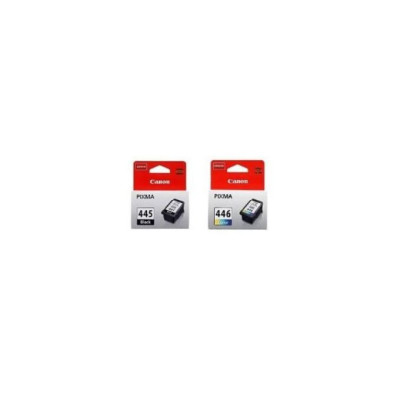
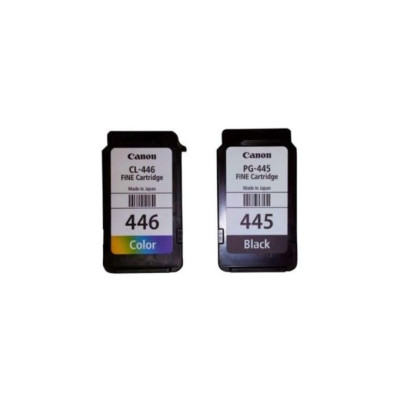
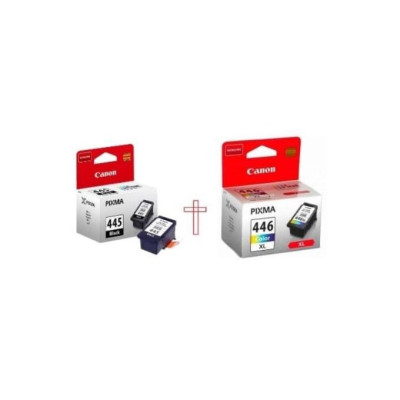
This Genuine Canon PG-445 Black and PG-446 color Ink Cartridge offers the highest standards of quality and reliability. With the Genuine Canon PG-445 Black and PG-446 color Ink Cartridge you will be sure to get the best performance and picture-perfect printouts from your Canon Ink-Jet printer. Multipack Canon CL-446 and PG-445 Ink Cartridges To get vibrant, lasting prints of the highest quality, use Canon original consumables in your printers. The Multipack contains one 8ml black and one 8ml colour cartridge for cost effective printing. Works with Canon PIXMA printers: iP2840, MG2440, MG2540, MG2540S, MG2545, MG2940, MG3040, MX494
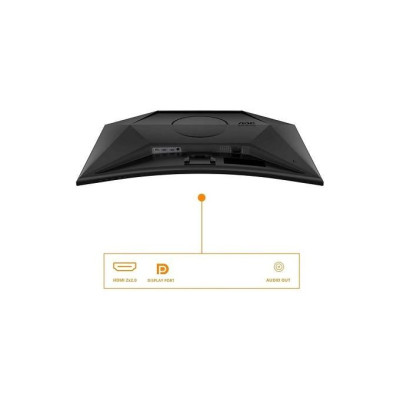
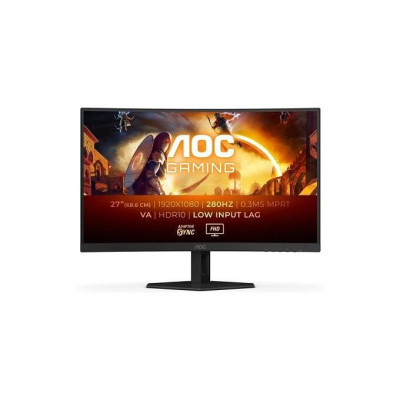
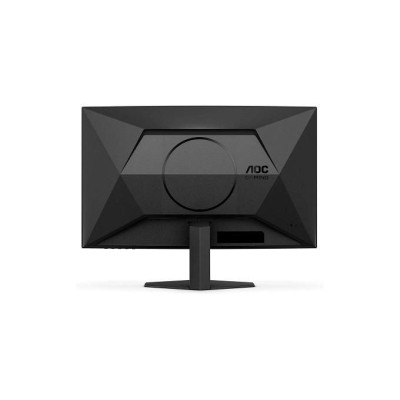
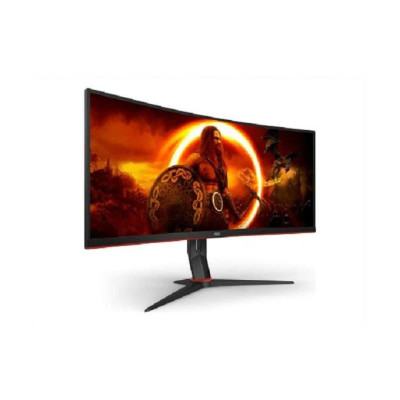
C27G4ZXED 27 Inch FHD Curved Gaming Monitor, 280Hz, 0.3ms- Black/grey
₦461,475.00 (NGN)
Empower your gaming experience with the AOC C27G4ZXED, meticulously crafted for your perfect game performance. This 27-inch curved monitor offers a Fast VA panel with up to 1ms GtG, 280Hz refresh rate, and lightning-fast 0,3ms response time. Conquer your gaming challenges with low input lag, tear-free visuals with Adaptive Sync technology and HDR 10 which ensure crystal-clear graphics and fast responsiveness. With an eSports base and AOC G-Menu, you will stay ahead while enjoying the control of your own gaming experience. " 280 Hz Refresh Rate The AGON by AOC monitor, with its groundbreaking 280Hz, is a game-changer for competitive gamers. The AGON by AOC monitor 's lightning-fast speed and pinpoint precision translate into an undeniable advantage in fast-paced games, allowing you to react quicker and hit your targets with unmatched accuracy. 1500R Curved Curved design wraps around you putting you at the centre of the action and provides an immersive gaming experience. Adaptive sync Adaptive Sync aligns your monitor’s vertical refresh rate with the frame rate delivered by your GPU, making your gameplay and casual gaming experience even more fluid by eliminating stuttering, tearing and judder. This feature is also useful when enjoying videos and other visual media, for a smoother entertainment. 0.3ms MPRT Response Time Feel the truly immersive gaming experience. Whether you're navigating through a fast-paced racing game or engaged in a high-stakes battle, every millisecond counts! The 0.3ms MPRT monitor could be your ticket to gaming excellence, with quick reaction times and smooth gameplay. Live the game at its best with HDR10 HDR10 is here to enhance picture quality even further, improving the synchronization of your GPU or your console with the monitor. This creates a more realistic, immersive, and smooth gaming experience: You’ll feel like stepping in the game, frame by frame. E-sports monitor stand Our new stand. Co-designed with eSports professionals, allows you to maximize free space for all your peripherals. The base of the monitor is designed to reduce the footprint of your monitor on your desk, and even allows you to place your keyboard on top. The stand includes cable management to keep your desk clean. No matter what genre you compete in, we want you to feel like a pro. Low Input Lag Unleash your reflexes by switching to the AOC Low Input Lag mode. Forget graphical frills: this mode rewires the monitor in favour of raw response time, giving the ultimate edge in hair trigger stand offs. GMENU AOC G-Menu is a free tool that you can install on your PC to have complete customization paired with maximum convenience.
Aimer
Commentaire
Partagez
Showing 215 out of 325
Commentaire signalé avec succès.
Le message a été ajouté avec succès à votre calendrier!
Vous avez atteint la limite de vos amis 5000!
Erreur de taille de fichier: le fichier dépasse autorisé la limite ({image_fichier}) et ne peut pas être téléchargé.
Votre vidéo est en cours de traitement, nous vous ferons savoir quand il est prêt à voir.
Impossible de télécharger un fichier : ce type de fichier n'est pas pris en charge.
Nous avons détecté du contenu réservé aux adultes sur l'image que vous avez téléchargée. Par conséquent, nous avons refusé votre processus de téléchargement.
Partager un post sur un groupe
Partager sur une page
Partager avec l'utilisateur
Votre message a été envoyé, nous examinerons bientôt votre contenu.
Pour télécharger des images, des vidéos et des fichiers audio, vous devez passer à un membre pro. Passer à Pro
Modifier loffre
Ajouter un niveau
Supprimer votre niveau
Êtes-vous sûr de vouloir supprimer ce niveau?
Avis
Afin de vendre votre contenu et vos publications, commencez par créer quelques packages. Monétisation
Payer par portefeuille
Ajouter un paquet
Supprimer votre adresse
Êtes-vous sûr de vouloir supprimer cette adresse?
Supprimez votre package de monétisation
Êtes-vous sûr de vouloir supprimer ce package ?
Se désabonner
Etes-vous sûr de vouloir vous désabonner de cet utilisateur ? Gardez à l’esprit que vous ne pourrez voir aucun de leur contenu monétisé.
Alerte de paiement
Vous êtes sur le point d'acheter les articles, voulez-vous continuer?

 +2
+2